How to Get an IPTV Subscription — Complete Setup Guide
Step-by-step guide to getting IPTV, setting it up on any device, and watching 30,000+ live channels in 4K within 5 minutes. No experience needed.
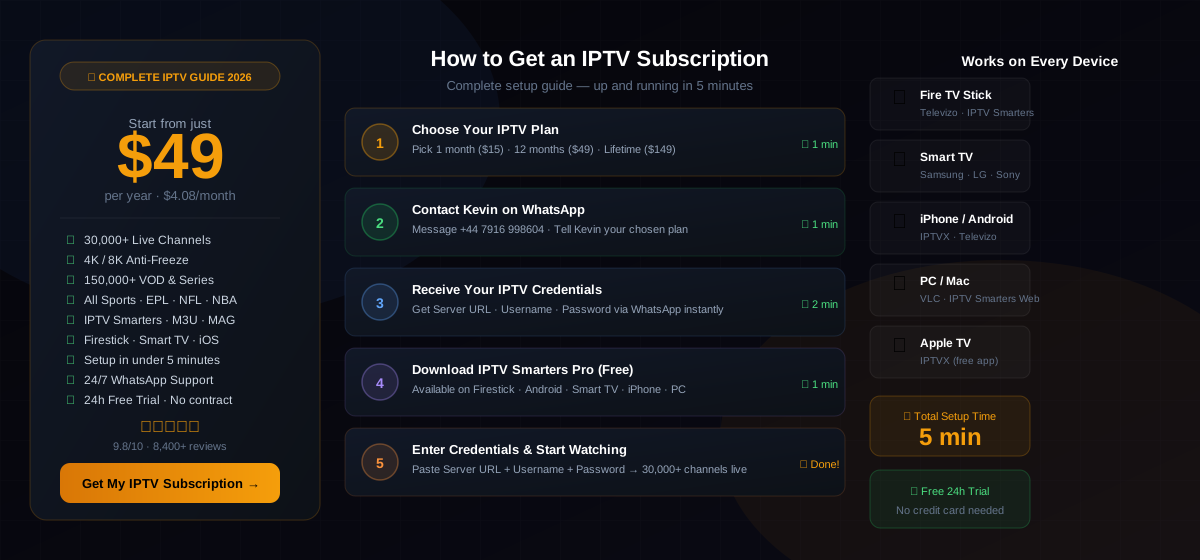
How to Get IPTV — 5 Steps
From zero to watching 30,000+ channels — in under 5 minutes
Choose Your IPTV Plan
Select the plan that fits you: 1 Month ($15), 12 Months ($49/yr — best value), 2 Years ($89), or Lifetime ($149 one-time). All plans include 30,000+ channels, 150,000+ VOD, 4K/8K quality, and 24/7 support.
Contact Kevin on WhatsApp
Send a WhatsApp message to +44 7916 998604. Tell Kevin which plan you want. Kevin responds within minutes, 24 hours a day, 7 days a week. You can also request a free 24-hour trial to test first.
Receive Your IPTV Credentials
Kevin sends your credentials via WhatsApp: a Server URL, Username, and Password. These three items are everything you need to activate any IPTV app. Save them — you'll use them once during setup.
Download Your IPTV App (Free)
Install the right free app for your device: IPTV Smarters Pro (Firestick, Android, Smart TV, PC), IPTVX (iPhone, iPad, Apple TV), or Televizo (Android, Firestick). All apps are free to download.
Enter Your Credentials and Start Watching
Open your IPTV app, choose "Add Provider" or "Xtream Codes API", then paste your Server URL, Username, and Password. Hit Connect. Every one of your 30,000+ channels loads immediately. That's it.
How to Set Up IPTV — Device Guides
Step-by-step instructions for every device
- 1Settings → My Fire TV → Developer Options → Unknown Sources ON
- 2Install "Downloader" from Amazon App Store
- 3Use Downloader to install IPTV Smarters Pro
- 4Enter your credentials → Connect
- 1Open the App Store on your Smart TV
- 2Search for "IPTV Smarters" and install
- 3Open the app → Add Xtream Codes Provider
- 4Enter Server URL, Username, Password → Done
- 1Download IPTVX from the Apple App Store
- 2Tap "Add Provider" → select Xtream Codes
- 3Enter Server URL, Username, Password
- 4All channels load automatically
- 1Download Televizo from Google Play (free)
- 2Tap "+" → Xtream Codes API
- 3Enter Server URL, Username, Password
- 4Tap Connect — 30,000+ channels live
- 1Download VLC at videolan.org (free)
- 2Go to Media → Open Network Stream
- 3Paste your M3U URL from Kevin
- 4Press Play — all channels available
- 1Download IPTVX from the Apple TV App Store
- 2Open IPTVX → Add Provider → Xtream Codes
- 3Enter your credentials from Kevin
- 4Navigate channels with the Siri Remote
What's Included in Your IPTV Subscription
Everything you get from the moment your account is activated
IPTV Subscription Plans
All plans include 30,000+ channels · 150,000+ VOD · 24/7 support · 4K/8K quality
| Plan | Price | Per Month | Best for |
|---|---|---|---|
| 1 Month | $15 | $15.00/mo | Trying IPTV for the first time |
| 12 Months ⭐ | $49/yr | $4.08/mo | Best value — most popular |
| 2 Years | $89 | $3.71/mo | Long-term savings |
| Lifetime | $149 once | $0 after that | Pay once, watch forever |
Sky UK costs £552/yr · Comcast costs $1,800+/yr · Kevin IPTV costs $49/yr
Get Your IPTV Subscription — From $49 →What Customers Say About Kevin IPTV
“Set up IPTV on my Firestick in literally 4 minutes. Kevin sent the credentials on WhatsApp straight away, I installed IPTV Smarters, entered the details and every channel was live. Best $49 I've spent.”
“I had no idea how to set up IPTV but Kevin walked me through everything on WhatsApp. Had it running on my Samsung Smart TV in under 5 minutes. The guide on this page is spot on.”
“Got my IPTV subscription sorted in one WhatsApp conversation. Kevin is fast, professional, and the setup guide is excellent. Works perfectly on my iPhone with IPTVX.”
“I was completely new to IPTV and this guide explained everything. Followed the 5 steps, was watching NFL and ESPN on my Android TV box in under 10 minutes. Incredible value at $49/year.”
“Switched from Bell Canada ($120/mo) to Kevin IPTV ($49/yr). I get more channels — TSN, Sportsnet, all NHL games — at a fraction of the cost. Setup on my Apple TV was straightforward.”
“Asked Kevin for a free trial first. He set it up instantly and I tested it for 24 hours before subscribing. Great UK channels, all Premier League games in HD. Subscribed immediately after the trial.”
IPTV Guide — Frequently Asked Questions
Everything you need to know about getting and setting up IPTV
Frequently Asked Questions
Everything you need to know about Kevin IPTV subscription service.
Ready to Start Watching?
30,000+ channels · 150,000+ VOD · 4K/8K · Setup in 5 minutes · $49/year
Not sure yet? Get the free 24-hour trial — no credit card required.
Message Kevin on WhatsApp · Response in minutes · Instant activation